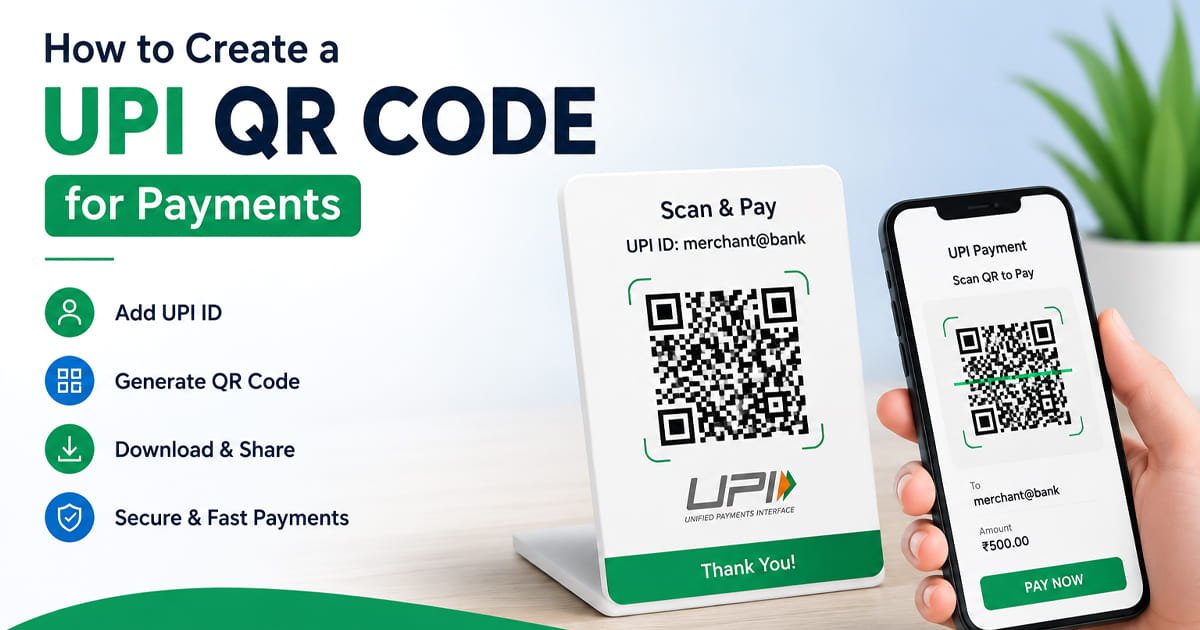
Learn how to create a UPI QR code for payments, test it, print it, and use it for shops, businesses, invoices, and online payments.
If you accept UPI payments, a QR code can make the payment process much easier and simple. Instead of asking customers to type a UPI ID manually they can scan your QR code with a supported UPI app simply, enter the amount, and complete the payment.
UPI supports QR code based payments, and apps such as Google Pay allow users to scan a receivers QR code and enter the amount they want to send.
The good thing is that creating a UPI QR code does not have to be complicated. If you already have a UPI ID, you can create a QR code containing your UPI payment details and then use it online or in your shop or other business.
What Is a UPI QR Code?
A UPI QR code is a 2D QR code that contains payment information associated with a UPI account. When a customer scans it through a compatible UPI app, the app can identify the payment destination and account very easily.
UPI itself is India instant payment system that supports person to person and merchant payments, including QR based payments.
For example, a small shop can place a UPI QR code near the counter. A customer can scan it easily instead of manually entering the shop owner's UPI ID.
How to Create a UPI QR Code
The easiest method is to use a QR code generator that supports UPI payment information you can use our website for that purpose.
Step 1: Get your UPI ID
First, you need your correct UPI ID. A UPI ID is the payment address associated with your UPI account.
For example:
yourname@bank
The exact format depends on your bank or UPI app. Google Pay also provides UPI IDs for users with supported bank accounts.
Step 2: Open a UPI QR code generator
Open or click this link QR Code Generator and select the UPI payment option.
Enter the required UPI payment details carefully.
Step 3: Enter the payment information
Depending on the QR generator, you may be asked for details such as:
- UPI ID
- Payee or business name
- Amount, if you want a fixed payment amount
- Payment description or note, if supported
Check every detail before generating the code. A small mistake in the UPI ID can send a customer to the wrong payment destination.
Step 4: Generate the QR code
Once the information is entered, generate your UPI QR code simply.
The QR code can then be downloaded and used on a phone, website, invoice, menu, counter display, packaging, or printed sign.
Step 5: Test it before sharing
Do not skip this step.
Scan the QR code yourself using a supported UPI app and check that the correct payment recipient appears.
Before making a real payment, verify the displayed recipient details. Google Pays current instructions also show QR scanning as a way to send money and require the sender to enter the amount before completing the transaction.
How to Create a UPI QR Code for a Shop
A UPI QR code can be particularly useful for small shops, restaurant, freelancer, online sellers, and local business.
A simple setup can be:
Business name → UPI QR code → Customer scans → Customer enters amount → Payment confirmation
If you are printing the QR code for customers, make sure it is large enough to scan easily and that the printed version is not blurry or damaged.
How Customers Pay Using a UPI QR Code
The exact scan buttons can vary between UPI apps, but the basic process is straightforward:
- Open a supported UPI payment app.
- Choose the QR scanner.
- Scan the merchant or recipient QR code.
- Check the recipient details.
- Enter the payment amount if required.
- Select the payment method.
- Authorize the payment using the required authentication.
Google Pay currently documents QR scanning as one of its ways to send money.
Can You Print a UPI QR Code?
Yes. A UPI QR code can be printed on materials such as:
- Shop displays
- Counter stands
- Receipts
- Menus
- Business cards
- Flyers
- Product packaging
- Invoices
Before printing a large batch, test the QR code from the actual printed size and make sure it scans correctly.
If you also need a product or identification code, you can use our Barcode Generator to create a barcode separately.
How to Make a UPI QR Code for Online Payments
You can also use a UPI QR code on a website, social media profile, invoice, or digital document.
For example, a freelancer could provide a UPI QR code on an invoice so the customer can scan it from another device.
If the QR code is displayed on the same phone that the customer is using for payment, however, scanning it may not be convenient. In that situation, sharing the UPI ID or using the payment app's supported payment flow may be easier.
UPI QR Code Safety Tips
Creating the QR code is easy, but accuracy matters when money is involved.
Check the UPI ID
Before generating the code, carefully check the UPI ID you entered.
Test the QR code
Scan it before printing or publishing it.
Verify the recipient
When making a payment, always check the recipient's details shown by the payment app before confirming.
Never share your UPI PIN
A QR code is used to initiate or direct a payment. You should never enter or share your UPI PIN with another person because they ask you to do so.
Be careful with unexpected QR codes
Don't scan unknown QR codes simply because someone sends them to you. Check where the payment is going before completing any transaction.
Frequently Asked Questions
Can I create a UPI QR code for free?
Yes, you can create a UPI QR code using a free QR code generator if it supports UPI payment information.
What information is needed to create a UPI QR code?
Usually, the most important detail is your UPI ID. Depending on the generator and payment setup, additional information such as a name, amount, or payment note may be supported.
Can I use the same UPI QR code more than once?
A static UPI QR code can generally be reused for multiple payments. The exact payment setup depends on the UPI service or merchant arrangement.
Can I print my UPI QR code?
Yes. You can download the generated QR code and print it on suitable materials. Always test the printed version before putting it in front of customers.
How do I know if my UPI QR code works?
Scan the QR code with a supported UPI app and check that the correct payment recipient appears. You don't need to complete a large payment just to test the code.
Can I use a UPI QR code for my small business?
Yes. UPI QR codes can be useful for shops, freelancers, service providers, restaurants, and other businesses that accept UPI payments. UPI supports merchant payments as well as person to person transfers.
Create Your UPI QR Code
If you already have a UPI ID and need a QR code for receiving payments, you can create one online without installing additional software.
Create your UPI QR code with our free QR Code Generator.
Just enter the required payment details, generate the QR code, and test it before sharing or printing it.