QR code vs barcode explained simply. Learn the key differences, uses, data capacity, scanning, and which code is best for websites, products, and inventory.
QR codes and barcodes may look like similar technologies, but they are designed for different jobs and different works they look same but different.
You may see a traditional barcode on a product in a supermarket and other product, while a QR code might appear on a restaurant menu, business cards,visiting cards, poster, product package, or Wi-Fi sign.
So which one should you use?
The answer depends on your need and what you want the code to do. If you want people to open a website or access digital information with their phone, a QR code is usually the more better option. If you need product identification for retail or inventory systems, a traditional barcode may be the better choice.
This guide explains the difference between QR codes and barcodes in simple terms and helps you choose the right one for your situations.
QR Code vs Barcode: The Main Difference
The easiest way to understand the difference is to look at how each code stores information.
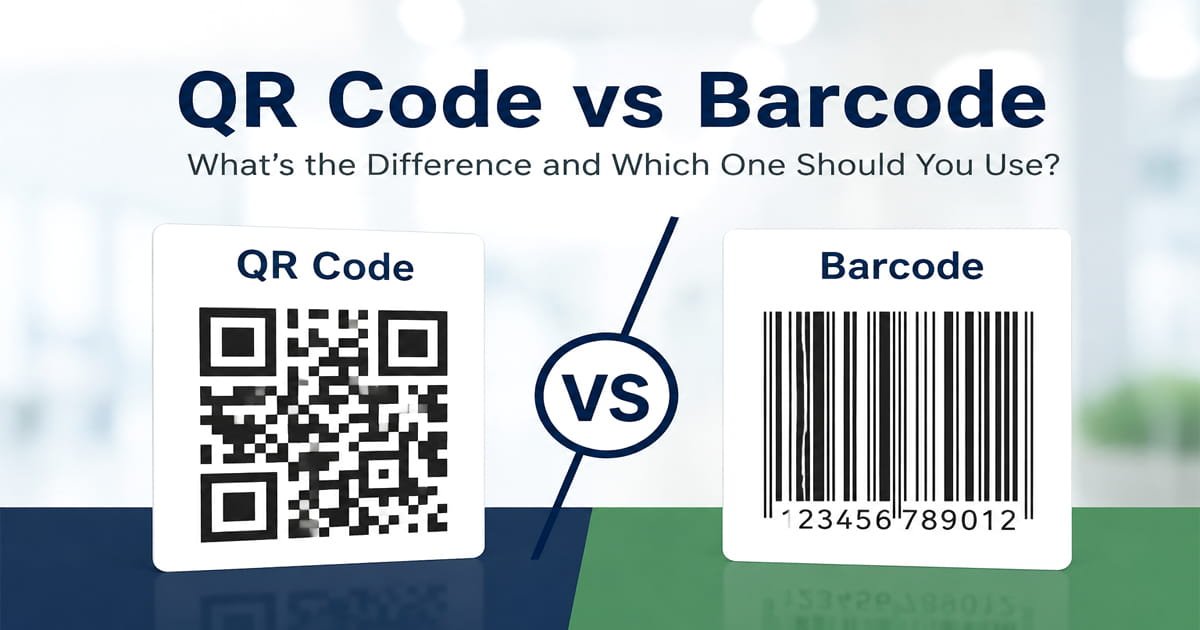
A traditional barcode is usually a one-dimensional (1D) code. It uses a series of bars and spaces to represent information along one directions.
A QR code is a two-dimensional (2D) code. It uses a square like pattern containing small dark and light modules to store information across both horizontal and vertical directions.
Because QR codes use two dimensions, they can generally hold much more information than traditional 1D barcodes.
But having more capacity doesn't automatically make a QR code better. The right choice depends on your purpose and the system that needs to scan the code.
What Is a Traditional Barcode?
A traditional barcode is a machine or barcode reader device-readable pattern commonly used to identify products or other items.
You have probably seen one on:
- Grocery products
- Clothing
- Electronics
- Shipping labels
- Warehouse items
- Retail packaging
A barcode scanner reads the pattern and converts it into information that a connected system can understand.
For example, when a product is scanned at a checkout counter, the barcode can identify the product so the store's system can identify its price and other information.
Common retail barcode formats include UPC and EAN. These formats are widely used for product identification in retail environments.
If you need to create a compatible barcode for your particular use case, you can use our Barcode Generator.
What Is a QR Code?
A QR code is a type of two-dimensional barcode that stores information in a square pattern.
QR codes are particularly useful because modern smartphones can often scan them directly with the camera App.
Instead of asking someone to type a long website address, you can place a QR code on a printed or physical item and let the person scan it.
QR codes are commonly used for:
- Website links
- Restaurant menus
- Wi-Fi access
- Contact information
- Event registration
- Digital forms
- Product information
- Marketing materials
For example, a restaurant can place a QR code on a table. A customer scans it with a phone and opens the restaurant's digital menu.
You can create your own code using our QR Code Generator.
QR Code vs Barcode: Which Stores More Information?
This is one of the biggest technical differences.
A traditional 1Dimensional barcode stores information along a single direction. A QR code uses two dimensions, which allows it to store significantly more information within a very small area.
However, the amount of data & information a code can contain also depends on the specific barcode or QR format being used.
A traditional product barcode may only need to represent a product identifier. A QR code, on the other hand, can provide access to a URL, contact information, text, Wi-Fi details, or other supported data.
So if your goal is to connect a physical item with digital content, a QR code can be much more flexible.
Which Is Better for a Website?
For a website or web link, a QR code is usually the better choice.
Imagine you have a printed flyer with this website address:
https://example.com/special-offer
A customer would have to type the address manually.
With a QR code, the customer can simply scan the code and open the link.
This makes QR codes useful for:
- Business websites
- Landing pages
- Restaurant menus
- Event registration
- Online forms
- Product pages
- Social media profiles
- Digital brochures
If your main goal is to make a website accessible from printed material, a QR code is generally more convenient than a traditional 1D barcode.
Which Is Better for Products?
For traditional retail product identification, UPC or EAN barcodes are commonly used.
Retail and inventory systems are often built around specific barcode standards. If a business needs a code that works with an existing checkout or inventory system, it should use the format required by that system.
QR codes can still be extremely useful on products, but they often serve a different purpose.
For example, a product can have a traditional barcode for retail identification and a QR code that takes customers to:
- Product instructions
- Warranty information
- Setup guides
- Videos
- Additional product details
- Recycling information
- Customer support
This means a QR code and a traditional barcode don't necessarily have to compete with each other. They can perform different jobs on the same product.
Can a Phone Scan Both QR Codes and Barcodes?
Not always in the same way.
Modern smartphones commonly recognize QR codes through their built-in camera App or camera software.
Traditional 1D barcodes may require a compatible scanning application or dedicated scanner, depending on the device and barcode format.
This is one reason QR codes are popular for consumer facing applications. People can often scan them using a device they already carry.
For commercial environments, dedicated barcode scanners can still be extremely fast and practical.
How to Create a QR Code
If you've decided that a QR code is right for your project, you don't need special software.
You can use our QR Code Generator to create a QR code for supported information such as website URLs, text,UPI payments, Wi-Fi details, contact information, and other available options.
After creating the code, scan it with your phone before printing or sharing it.
How to Create a Barcode
If you need a traditional barcode, you can use our Barcode Generator.
Choose the barcode format that matches your requirements, enter the necessary information, generate the code, and test it with the scanner or system that will actually be used.
This last step is important. A barcode should always be tested in the environment where it will be scanned.
Common QR Code and Barcode Mistakes
Choosing the wrong format
Don't choose a code simply because it looks better. The format needs to work with the software, scanner, or platform that will use it.
Not testing before printing
Always scan the finished QR code or barcode before putting it on thousands of labels, packages, menus, or promotional materials.
Making a QR code too small
A QR code that is printed too small may become difficult to scan. Leave enough space around it and maintain good contrast.
Using the wrong barcode standard
Different industries and systems may require different barcode formats. Check the requirements before generating one.
Assuming QR codes replace every barcode
QR codes are highly flexible, but they aren't a universal replacement for traditional retail and inventory barcodes.
Frequently Asked Questions
Is a QR code a barcode?
Yes. A QR code is a type of two-dimensional barcode. The word barcode can be used broadly for machine-readable codes, including both 1D and 2D formats.
What is the difference between a QR code and a barcode?
A traditional barcode usually stores information in one dimension using bars and spaces, while a QR code stores information in two dimensions using a square pattern.
Is a QR code better than a barcode?
Neither is always better. QR codes are generally more useful for websites and digital information, while traditional barcodes are widely used for product identification and inventory systems.
Which is better for a website, QR code or barcode?
A QR code is generally the better option because it can encode a website URL and make it easy for someone to open the page with a phone.
Can a QR code replace a UPC barcode?
Not necessarily. If a retail or inventory system requires a UPC barcode, a QR code doesn't automatically replace it.
Can I use a QR code and barcode together?
Yes. They can be used together when they have different purposes. A traditional barcode can identify the product while a QR code can provide customers with additional online information.
Can I create a QR code online for free?
Yes. You can use our QR Code Generator to create supported QR codes online.
Can I create a barcode online?
Yes. You can use our Barcode Generator to generate supported barcode formats online.