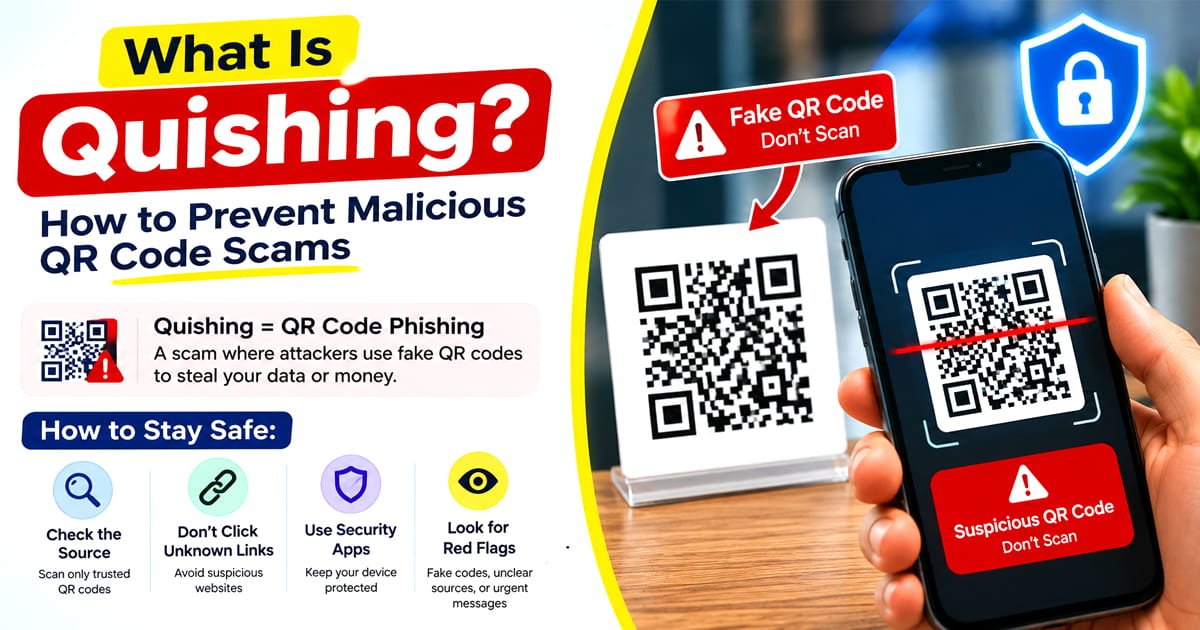
Learn what quishing is, how QR code scams work, how to spot malicious QR codes, and simple ways to protect your personal and financial information.
QR codes have become part of everyday life. They appear on restaurant menus, parking meters, product packaging, posters, business cards, payment displays, event tickets and even emails.
That convenience has also created an opportunity for scammers.
A QR code can hide the destination of a link until it is scanned. A criminal can take advantage of that by replacing a legitimate QR code with a malicious one or sending a QR code that leads to a fake website.
This type of QR code phishing is known as quishing.
The danger isn't the black and white QR pattern itself. The real problem is where the code sends you and what the website asks you to do after you arrive.
What Is Quishing?
Quishing is QR code phishing. It is a scam technique in which criminals and scammers use QR codes to direct people toward malicious or fraudulent destinations.
The QR code may look completely normal. The scam becomes apparent only after scanning it.
A malicious QR code can send someone to a fake login page, a fraudulent payment page, a fake delivery website or another site designed to collect sensitive information.
The U.S. Postal Inspection Service describes quishing as an identity fraud scam that uses QR codes to direct victims to websites that may appear legitimate while attempting to obtain personal or financial information.
How Does a Quishing Attack Work?
A typical quishing scam follows a simple pattern:
QR code → scan → malicious website → fake request → stolen information
For example, imagine receiving a message saying that a package could not be delivered and that you need to scan a QR code to reschedule it.
You scan the code and boom the fake website open.
Instead of opening the real delivery company website, it opens a page designed to look legitimate. The page asks for your name, address, card details or account password.
The QR code has done exactly what it was designed to do send you to a destination.
The scam happens on the other side of the scan.
Why Are QR Code Scams Effective?
QR codes can make phishing messages feel less suspicious because users do not immediately see the URL.
With a normal link, you can often see the website address before opening it.
With a QR code, the destination is hidden inside the pattern until your phone scans it.
Scammers can also create urgency around the scan.
A message might claim:
- Your package is waiting for confirmation.
- Your payment failed.
- Your account needs verification.
- You have won a reward.
- Your parking payment has expired.
- Your account has suspicious activity.
- You need to scan to receive a discount.
The goal is to make you act before you stop and verify the request.
The FTC has specifically warned about QR code scams using fake package notices, account problems and other urgent stories to persuade people to scan malicious codes.
Where Can Quishing Scams Appear?
Quishing isn't limited to emails.
A malicious QR code can appear almost anywhere a legitimate QR code could appear.
A scammer may send an email containing a QR code and claim that you need to scan it to fix an account problem, confirm a payment or complete another action.
Text Messages
A QR code may arrive in an unexpected SMS with an urgent request.
Posters and Flyers
Criminals can place fake QR codes in public areas where people expect to find legitimate codes.
Parking Areas
One particularly simple technique is placing a fraudulent QR code over or near a legitimate parking payment code.
The FTC has warned consumers about scammers physically covering legitimate QR codes, including codes used at parking meters.
Packages
An unexpected package can also be used to encourage a QR scan.
The FBI warned in 2025 about unsolicited packages containing QR codes that can lead victims toward requests for personal or financial information or potentially malicious software.
Restaurant and Business Locations
A QR code displayed in a familiar location can create a false sense of trust. A code being physically present in a business or public location does not automatically mean that its destination is safe.
What Happens After You Scan a Malicious QR Code?
Scanning the code does not necessarily mean your information has already been stolen.
The bigger risk often comes from what you do next.
A malicious QR code may open a fake website that asks you to:
- Enter a username and password
- Confirm credit card details
- Enter banking information
- Provide personal information
- Download an application
- Approve an unexpected action
- Make a payment
- Enter a verification code
This is why the moment after the scan is important.
If the page looks suspicious or asks for information you were not expecting to provide, stop.
How to Identify a Malicious QR Code
There isn't a reliable visual feature that makes every malicious QR code obvious.
A fake QR code can look exactly like an ordinary one.
Instead of trying to judge the pattern itself, look at the context and destination.
QR Code Phishing vs Traditional Phishing
The main difference is how the victim is directed to the malicious destination.
| Traditional Phishing Quishing: | |
| Usually uses a clickable link | Uses a QR code |
| URL may be visible before clicking | Destination may be hidden until scanning |
| Often delivered by email | Can appear in email, text, print or public places |
| Can imitate a legitimate website | Can use the same fake websites |
| Relies on social engineering | Relies on QR scanning plus social engineering |
Quishing is therefore not a completely separate type of online fraud. It is essentially a QR-based delivery method for phishing.
How to Prevent Quishing
You don't need to stop using QR codes.
The better approach is to treat unexpected QR codes like unexpected links.
Don't Scan Unexpected QR Codes
If you receive a QR code from an unknown person, unexpected email or suspicious message, don't scan it just because the message tells you to.
If the request claims to come from a company you use, open that company official website yourself instead.
Check the Destination Before Continuing
After scanning, take a moment to look at the website address before entering anything.
If the destination doesn't match the organization you expected, close it.
Don't Enter Sensitive Information on a Suspicious Page
Never enter passwords, banking information, card numbers or other sensitive details simply because a QR code asked you to.
Verify the request independently first.
Don't Trust a QR Code Just Because It Looks Official
Logos, colors and professional looking designs can be copied.
A QR code on a professionally printed poster isn't automatically trustworthy.
Be Careful With QR Codes on Public Objects
Check parking meters, posters, signs and payment displays for suspicious stickers or signs of tampering.
If you're unsure, find the official website or app of the service and use that instead.
Keep Your Phone Updated
Keeping your operating system and apps updated is a basic security measure that can reduce exposure to known vulnerabilities.
Verify Through Another Channel
If a QR code claims to be from your bank, delivery company or another organization, don't use the QR code to verify the claim.
Instead, open the organization official website or app yourself and check whether the issue actually exists.
What If You Already Scanned a Suspicious QR Code?
Don't panic.
Scanning a QR code does not automatically mean that your accounts have been compromised.
What you should do next depends on what happened after the scan.
If You Only Opened the Website
Close the page and don't enter information or download anything.
If the website asked for sensitive information, don't provide it.
If You Entered a Password
Change that password through the legitimate website or official app.
If you reused the same password elsewhere, change it there too.
If You Entered Financial Information
Contact the relevant bank or financial institution using an official phone number or website.
Monitor the account for suspicious activity.
If You Downloaded Something
Don't assume the file or application is safe simply because the QR code opened it.
If you installed an unfamiliar application, review what was installed and consider getting appropriate security assistance for your device.
If You Gave Away Personal Information
Be alert for follow up scams.
Once criminals know that a person responds to a particular type of message, they may attempt additional social-engineering attacks.
The Unexpected Package QR Code Scam
Another variation involves an unsolicited package.
You receive something you didn't order. Inside is a card containing a QR code and a message encouraging you to scan it to discover who sent the package, claim a reward or get additional information.
The FBI issued a 2025 public service announcement about unsolicited packages containing QR codes that may be used to direct victims toward fraudulent websites or malicious downloads.
The U.S. Postal Inspection Service has also warned about quishing being combined with brushing scams involving unexpected packages.
The lesson is simple:
An unexpected gift is not a reason to trust the QR code that comes with it.
Are QR Codes Dangerous?
No. QR codes themselves are not inherently dangerous.
A QR code is simply a way of encoding information.
The security risk comes from the information or destination encoded in the code and what happens after it is scanned.
A legitimate restaurant can use a QR code for a menu.
A business can use one to share contact details.
A scammer can use one to send someone to a fake login page.
The technology is the same. The destination and context are different.
Can You Tell if a QR Code Is Safe Before Scanning It?
Not always.
The visual appearance of a QR code doesn't reliably tell you where it leads.
That is why the safer approach is to consider where the code came from, why you're being asked to scan it, and what destination appears after scanning.
If the source is unexpected or the request feels unusual, don't scan it.
If you need the service, access it through an official website or app instead.
QR Code Safety Checklist
Before scanning an unfamiliar QR code, ask:
- Did I expect to receive this QR code?
- Do I know who provided it?
- Why am I being asked to scan it?
- Is the request creating unnecessary urgency?
- Does the physical QR code look tampered with?
- Does the destination URL match the organization?
- Is the page asking for information that doesn't make sense?
- Can I access the same service through its official website or app instead?
If something doesn't add up, don't continue.
Frequently Asked Questions
What does quishing mean?
Quishing means QR code phishing. It is a scam technique that uses QR codes to direct people to fraudulent or malicious destinations.
Is quishing the same as phishing?
Quishing is a form of phishing. The main difference is that the attacker uses a QR code as the method for directing the victim to the fraudulent destination.
Can a QR code steal my information?
A QR code itself does not automatically steal information. The risk comes from the destination it opens and what you do there. A malicious QR code can lead to a fake website designed to collect passwords, financial information or other personal data.
How can I tell if a QR code is fake?
You usually cannot determine whether a QR code is malicious simply by looking at the pattern. Check the source, look for signs of tampering, inspect the destination after scanning and avoid entering sensitive information on unexpected pages.
Can scanning a QR code hack your phone?
Scanning a QR code does not automatically mean that your phone has been hacked. However, a malicious QR code can direct you to harmful websites, fraudulent pages or downloads. What happens after the scan matters.
Are QR codes on parking meters safe?
Not necessarily. A legitimate parking QR code can potentially be covered or replaced with a fraudulent one. Check the code and destination carefully, and use the official parking service's website or app when possible.
What should I do if I scanned a malicious QR code?
If you only opened the website, close it and don't enter information. If you entered a password, change it through the legitimate service. If you entered financial information, contact your financial institution through an official channel and monitor the account.
Are QR code generators responsible for quishing?
A QR code generator simply encodes information into a QR code. The security of a QR code depends largely on the destination or information being encoded and how the code is used. Users should verify the information and destination before sharing or scanning codes.